Tools
- Cursor
- React, Vite, Tailwind CSS, shadcn/ui
- Figma Make
- GitHub Copilot
- ChatGPT
AI Tools & Experimentation
Coding with Cursor
Cursor still feels like magic to me! I've done a lot of coding in the past, but I'm new to React; Cursor is allowing me to "play above my level" in the short term, while also helping me learn the technology along the way. Building something is always the best way to learn a new technology, and Cursor is making this process so much easier.
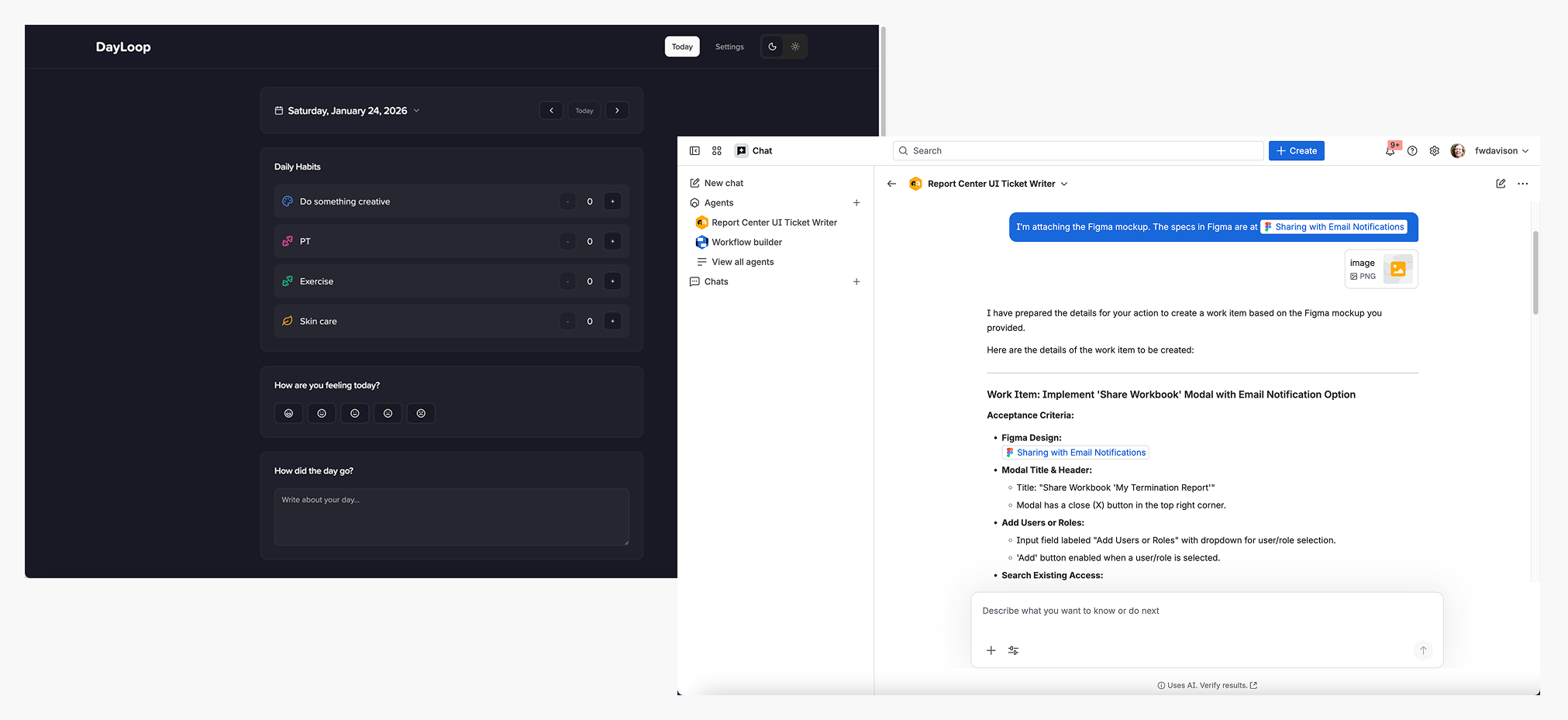
None of the many habit tracking apps I've tried work exactly the way I want, so I used Cursor to build my own. The app uses React, Vite, Tailwind CSS, and shadcn/ui. It's fully responsive and supports both light and dark modes; I integrated Lucide icons to represent the habits.

Pendo MCP Server
I'm currently leading a project to improve the way PrismHR uses Pendo for product analytics and customer communication. When I learned that Pendo had just released their new MCP Server, I knew I had to try it out.
Using Cursor, I connected to the MCP server and started experimenting with sending queries, with the goal of building an app that uses Pendo usage data to suggest users to contact for feedback or usability testing.
While I was playing, Pendo's MCP product manager reached out to set up a feedback call; apparently I was one of their earliest adopters! I learned that they're working on some new features that will make this use case easier, so I'm crossing my fingers while I tinker with the app in my spare time.
Building Agents in Microsoft Copilot and Atlassian Rovo
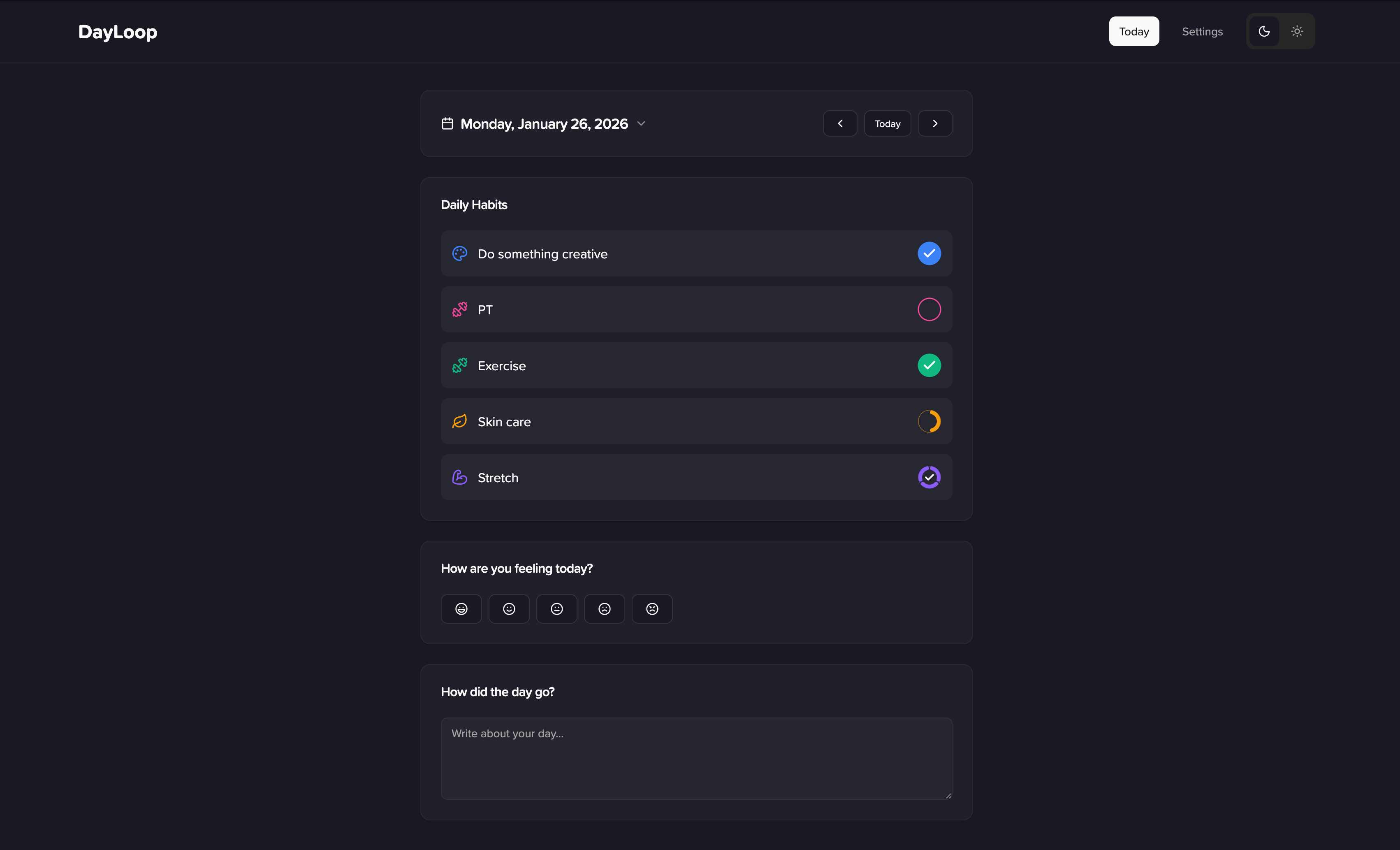
As part of my day-to-day design work, I spend more time than I want to writing Jira tickets. I appreciate how writing specs helps me think through design decisions, but there's a lot of repetitive effort that distracts from more strategicwork. I decided to build an agent to help me with the repetitive parts.
I first tried building it in Microsoft Copilot, but wasn't happy with the results. I've built custom agents in ChatGPT in the past, but PrismHR's security team hasn't approved ChatGPT for internal use, so that wasn't a good choice for this project.
Luckily, third time was the charm —Atlassian Rovo turned out to be a perfect fit. I was able to point it to the relevant Jira project and use its image recognition skill to read my Figma mockups. It's saved me a lot of repetitive effort in ticket writing and allowed me to focus on the higher-value design decisions. The Report Center product manager has adopted it as well (favorite quote: "I think I'm in love with your ticket writer!").
Prototyping with Figma Make
I use prototypes extensively to communicate vision, build alignment with my teams, and work through interaction details. I love the simplicity of Figma's basic prototyping, but it requires a lot of manual effort to build and maintain complex prototypes. I've been using Figma Make to speed up the prototyping process and suggest design ideas that I might not have thought of myself.
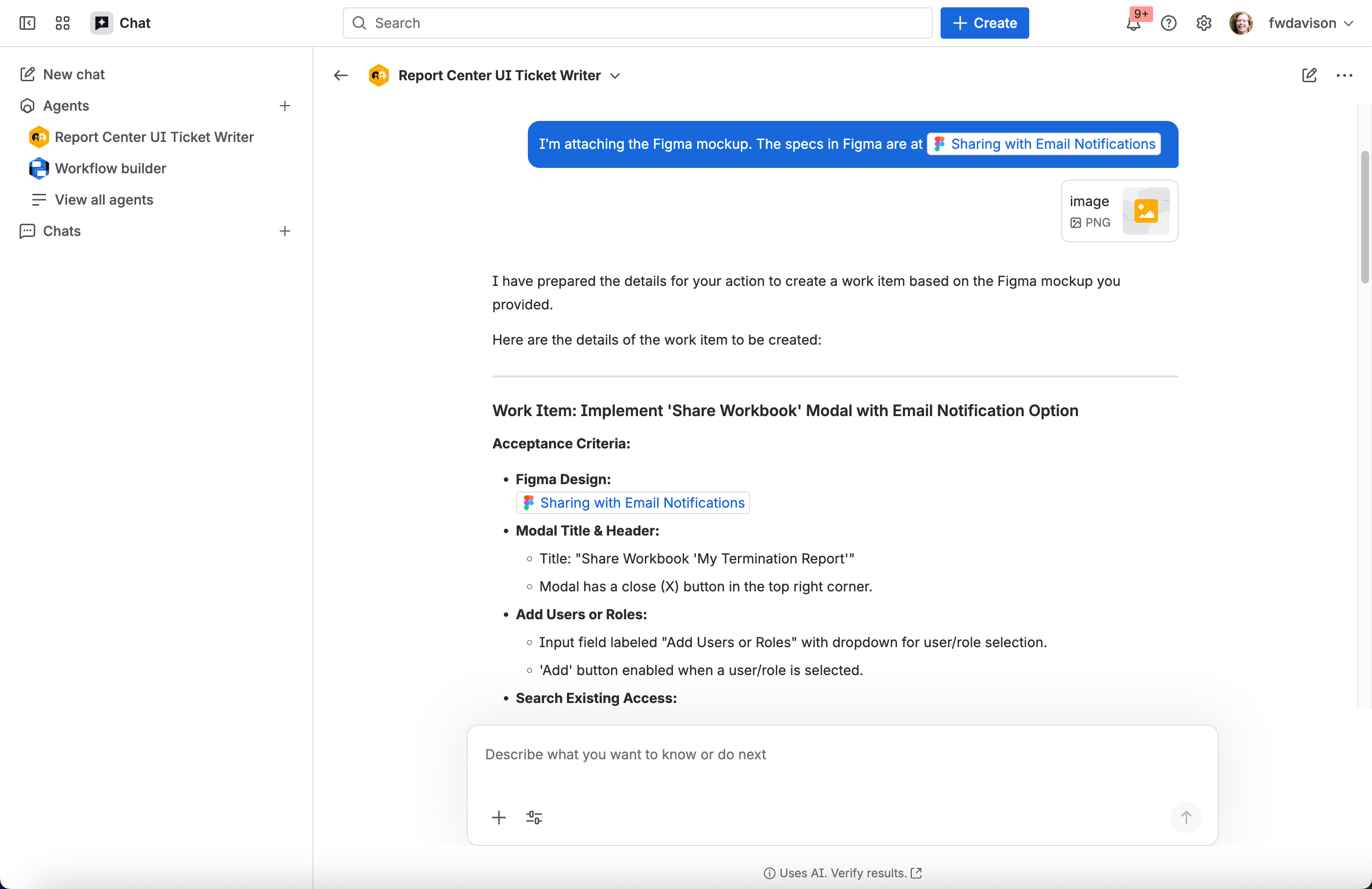
Here's an example of using Figma Make for dashboard experimentation. I'm exploring new ideas for our standard dashboards, so I attached our design system library file and asked Make to create a dashboard based on the design library.
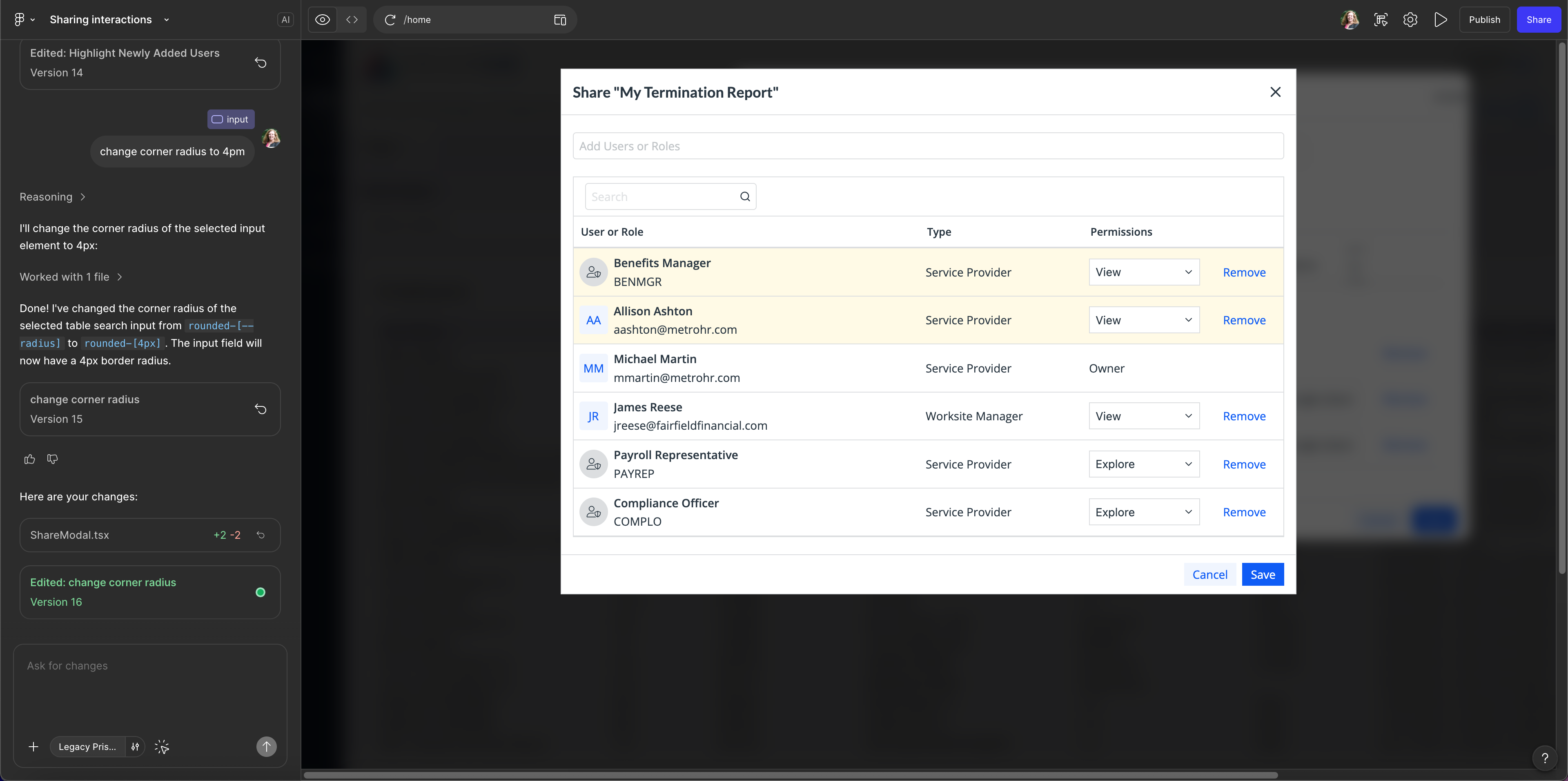
Recently I designed a new sharing dialog for Report Center. The interactions were important, and I was hitting the limits of functionality and maintainability with standard Figma prototypes. I used Figma Make to create a prototype that was fully interactive and functional.
I found it took some iteration to make the prototype match my original design, even though I attached the design library and linked my original design file. However, in the end I got a much more dynamic and functional prototype. I'm looking forward to some of the upcoming improvements Figma has announced, which I think will make this even more powerful.
The technology is evolving so fast, and I'm excited all over again about how much fun it is to build stuff. I can't wait to see where it goes next!